unwrit
Eleòra Unwrit
A smart text extractor for images, screenshots and PDFs, optimized for Fedora Linux and KDE Plasma.


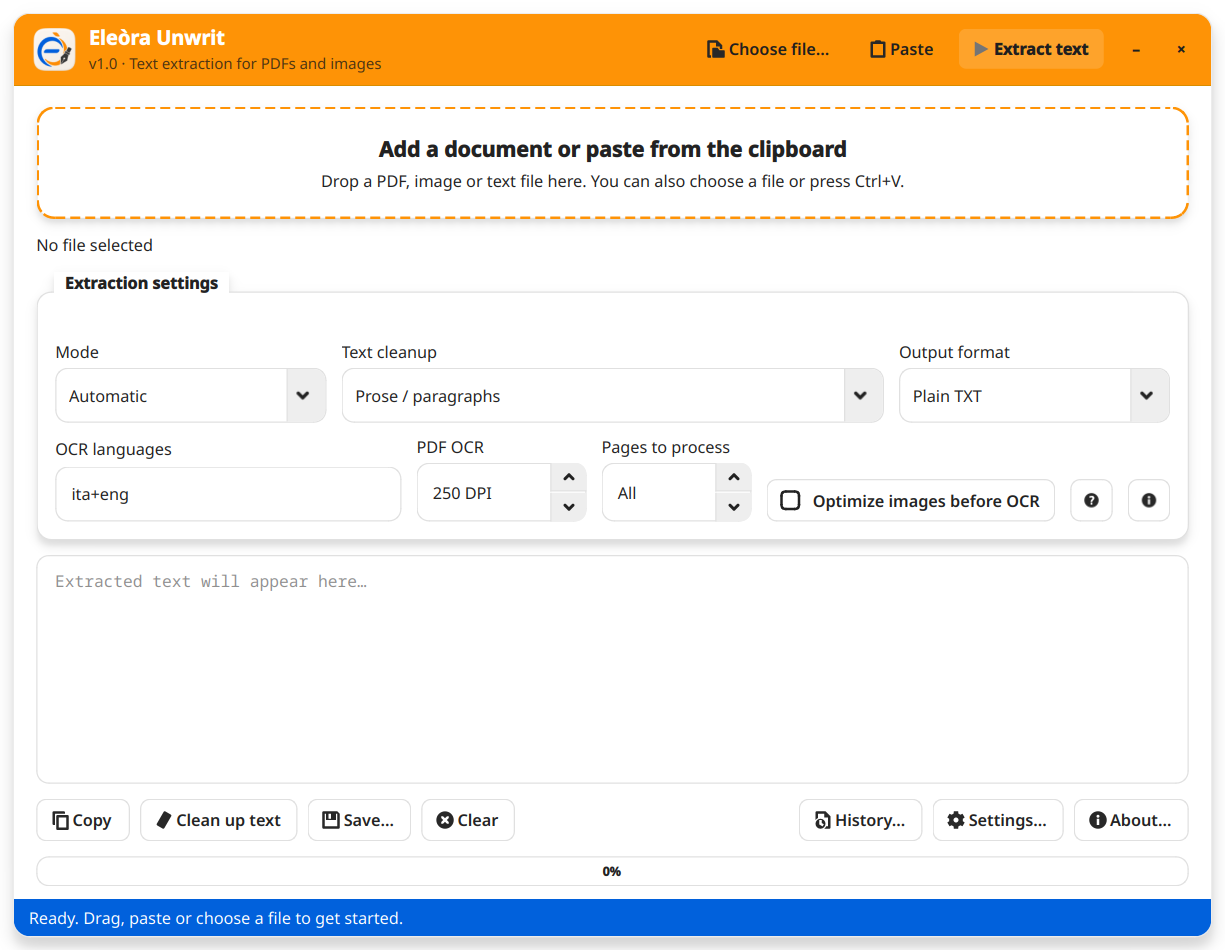
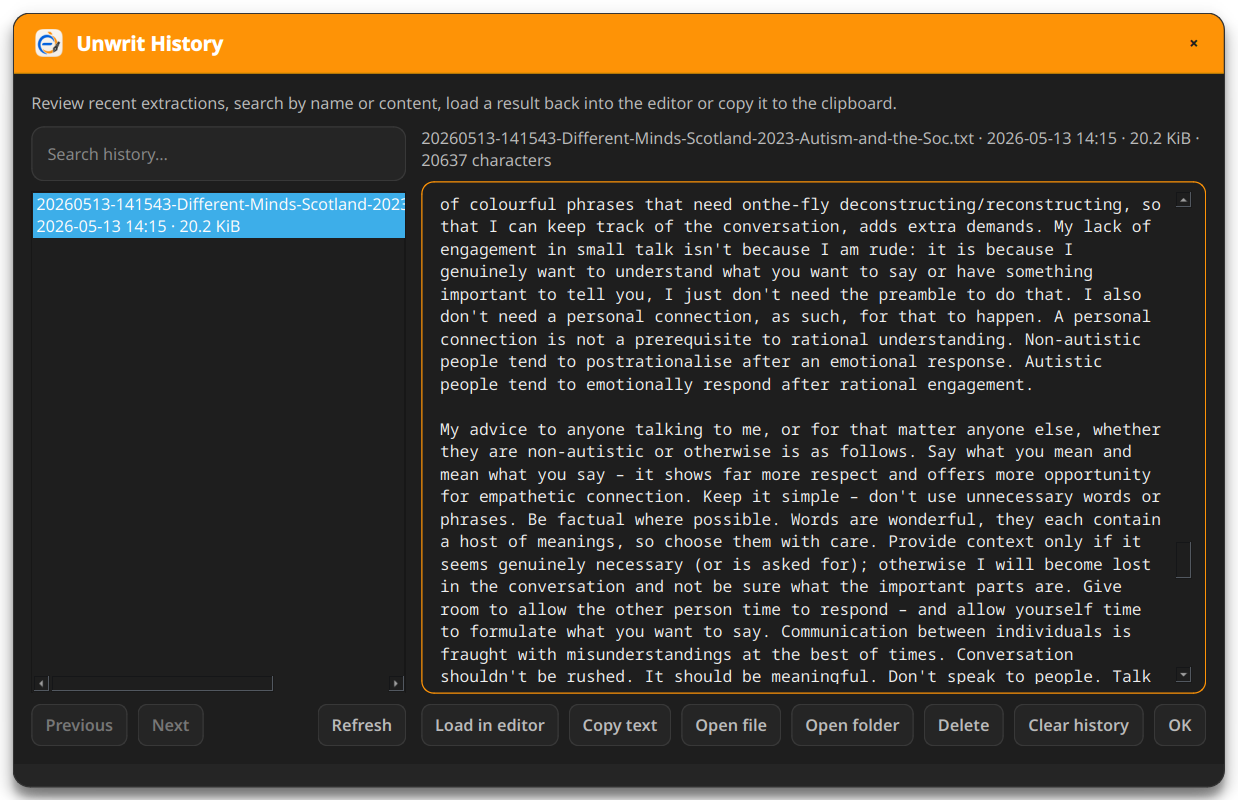
Screenshot
| Light | Dark |
|---|---|
 |
 |
Features
- Smart mode — reads native selectable text from digital PDFs first; falls back to OCR only when needed
- OCR — extracts text from images and scanned PDFs using Tesseract
- PDF support — handles both digital and scanned PDFs, with configurable DPI and page limit
- Image support — PNG, JPG, JPEG, WEBP, TIF, TIFF, BMP, GIF
- Text file support — TXT, MD, CSV, LOG, JSON, XML, HTML, CSS, JS, PY
- Clipboard paste — paste files, images, screenshots or text directly with Ctrl+V
- Drag and drop — drop any supported file onto the main window
- Text cleanup — three modes: Prose/paragraphs, Light/keep lines, Code/indentation
- Output formats — Plain TXT, Markdown, HTML
- Image preprocessing — optional contrast and sharpness optimization via ImageMagick before OCR
- Extraction history — automatically saves results locally; searchable and reloadable
- System tray — optional: keep running in the notification area when closed
- Bilingual — Italian and English, auto-detected from system locale
- Saved preferences — last selected options restored at next launch from
~/.config/eleora-unwrit/settings.json
Important notes
-
Smart mode reads native PDF text first, which is faster and more reliable. It switches to OCR automatically if the document appears to be scanned or the available text is insufficient. Images are always processed with OCR.
-
OCR mode forces Tesseract regardless of the file type. Use it for screenshots, scanned PDFs and photographed documents where text is not selectable.
-
Text cleanup is applied automatically during each extraction. To re-apply it after changing the mode, use the Clean up text button.
-
Image preprocessing requires ImageMagick (
magickcommand). It can help with faint or low-contrast scans, but may worsen already clean screenshots. It is disabled by default. -
Extraction history is saved locally in
~/.config/eleora-unwrit/history/. The number of stored items and the folder location are configurable. History saving can be disabled entirely and the history can be cleared at any time. -
Clipboard paste — when an image or screenshot is pasted, a temporary PNG file is created in
/tmp. These files are deleted on exit if the corresponding setting is enabled (on by default). -
OCR languages use Tesseract language codes. For Italian and English text, use
ita+eng. Language packs must be installed separately (e.g.tesseract-langpack-ita).
How it works
- All extraction runs locally — no network access, no external services
- Root privileges are not required; all operations run as the current user
- Unwrit saves the last selected options in
~/.config/eleora-unwrit/settings.json - Extracted text can be copied to the clipboard, saved to a file, or stored automatically in the local history
- A single-instance guard ensures only one copy of Unwrit runs at a time; a second launch brings the existing window to the front
Requirements
- Fedora Linux
- KDE Plasma
- Python 3.10+
- PySide6
- PyMuPDF (
pymupdf) - Tesseract OCR (
tesseract) - Tesseract language packs (e.g.
tesseract-langpack-ita,tesseract-langpack-eng) - ImageMagick (optional — required for image preprocessing)
Installation
git clone https://github.com/eleora-dev/unwrit.git
cd unwrit
sudo dnf install tesseract tesseract-langpack-ita tesseract-langpack-eng
pip install PySide6 pymupdf --break-system-packages
python unwrit.py
Keyboard shortcuts
Ctrl+V→ paste files, images or text from the clipboard
Privacy
This application does not collect, transmit or share any personal data.
All extraction runs locally on your machine using Tesseract and PyMuPDF. No data is sent to external services.
Unwrit stores only local app preferences and, optionally, extraction history in ~/.config/eleora-unwrit/.
Full privacy policy: eleora-dev.github.io/unwrit/privacy.html
License
MIT License — see LICENSE for details.
Author
Gerardo Perilli · Eleòra